
PLUBOX operations guide
How to connect Booking.com and Airbnb to one rental calendar
Published · English
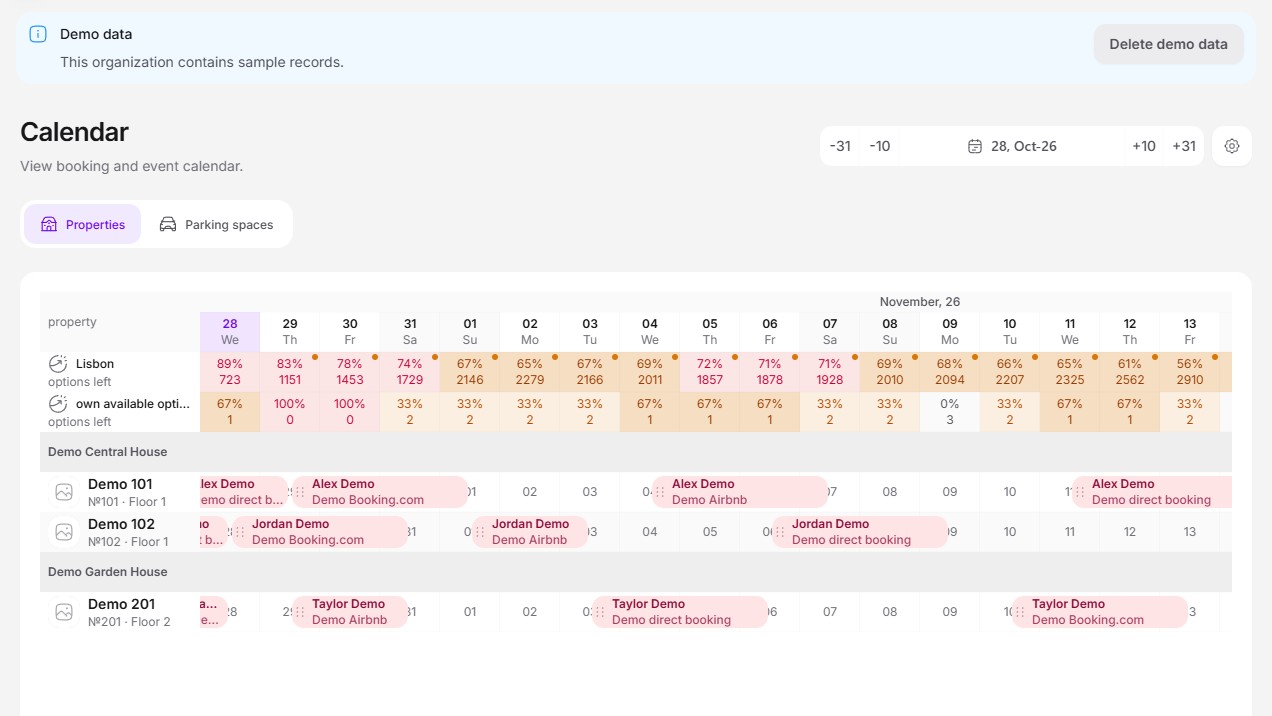
If you sell the same accommodation on Booking.com and Airbnb, start with a clear mapping of what each listing represents. This checklist explains how to prepare a channel-manager connection through Channex, check it with your team and keep it connected to daily work in PLUBOX.
1. Decide which information needs to move
A calendar feed and a channel-manager connection have different jobs. An iCal feed exchanges calendar events and blocked dates. Do not treat it as a connection for sending prices or stay restrictions.
PLUBOX uses Channex for channel distribution. The supported connection can send availability, rates and restrictions and receive reservations. Confirm the fields available for each channel and account before setting up the workflow you need.
- Which listings sell the same accommodation?
- Which account will manage availability and rates?
- Which restrictions must each channel receive?
- Who will monitor the connection and handle exceptions?
2. Prepare the accounts and accommodation list
Have the required access to the Booking.com and Airbnb accounts and prepare the Channex connection with support. Make a list of the accommodation groups and rate plans in PLUBOX and the corresponding listings or room types in each channel.
Include existing bookings, dates closed for maintenance and the inventory you intend to sell. For a group with several units, check that the quantity means the same thing on both sides. One apartment listed twice is still one apartment available for a stay.
- Account access and connection requirements confirmed
- Each accommodation group matched to the intended channel listing or room type
- Rate plans and currency recorded
- Existing stays and unavailable dates reviewed before sending updates
3. Check the mapping before relying on updates
Review accommodation and rate-plan mapping separately. A correct property connection does not by itself confirm that each price belongs to the intended rate plan. Check the currency, occupancy assumptions and any channel-specific price adjustments in your setup.
Agree which system your team will use to maintain each supported field. Keep that decision with the mapping list, so a colleague knows where to change a price or close dates. Ask support about any existing calendar feeds or other connections before running overlapping workflows.
| Check | In PLUBOX and Channex | In the sales channel |
|---|---|---|
| Accommodation | The intended accommodation group and inventory quantity | The listing or room type selling that accommodation |
| Rate plan | The mapped plan, currency and supported restrictions | The intended plan and its displayed conditions |
| Dates | Existing reservations and closed dates | The same stay dates and availability |
4. Verify updates and a reservation with support
Agree a verification procedure with support before changing live inventory. Choose the accommodation, dates and rate plan together. Check an availability update and a price update separately, including the required restrictions where the channel supports them.
Then verify an agreed reservation example from the channel in PLUBOX. Compare the accommodation, stay dates, source and amount, and confirm how a modification or cancellation will be handled. Record the result and who checked it; a successful price update alone does not verify incoming reservations.
- Availability checked for the agreed dates
- Rate and supported restrictions checked separately
- Incoming reservation matched to the intended accommodation
- Modification and cancellation workflow confirmed
- Team contact and verification result recorded
5. Keep a short exception checklist
After setup, review the connection as part of the day’s booking work. When something differs, record the channel, accommodation, dates, rate plan and reservation reference before asking support to investigate. Use the same example on both sides of the comparison.
Check mapping and the connection state before repeating an update. Repeated changes without a clear source make it harder to understand which value should apply.
| What you see | What to compare | What to send to support |
|---|---|---|
| Availability differs | Accommodation mapping, dates, inventory quantity and existing stays | Channel, accommodation and affected dates |
| The displayed price differs | Mapped rate plan, currency, occupancy and configured adjustments | Date, plan and the values on both sides |
| A reservation is missing or looks different | Channel reference, accommodation, stay dates and connection state | Reservation reference and the mismatch you found |
Review your channel setup with PLUBOX
Bring your property count, the channels you use and one example rate plan. Request a walkthrough to review the mapping and the connection requirements for your account.