
How was this amount calculated?
Open an income, cost or payment line in Finance to see its breakdown. The owner can check the entries behind the amount, with the same month and properties selected.
Reports for property owners
Bring the month's income, expenses and recorded payouts into one report. Owners can see the result for their linked properties, the balance carried forward and the amount remaining to pay.
Open Management, then Performance. Choose the month and the properties you manage for this owner.
Use the income and expense categories to identify an unusual repair or cleaning charge. Check its source entry before writing the owner's update.
Add the balance from previous months to this month's result, then subtract recorded owner payouts. The example below follows the same calculation.
PLUBOX Owner
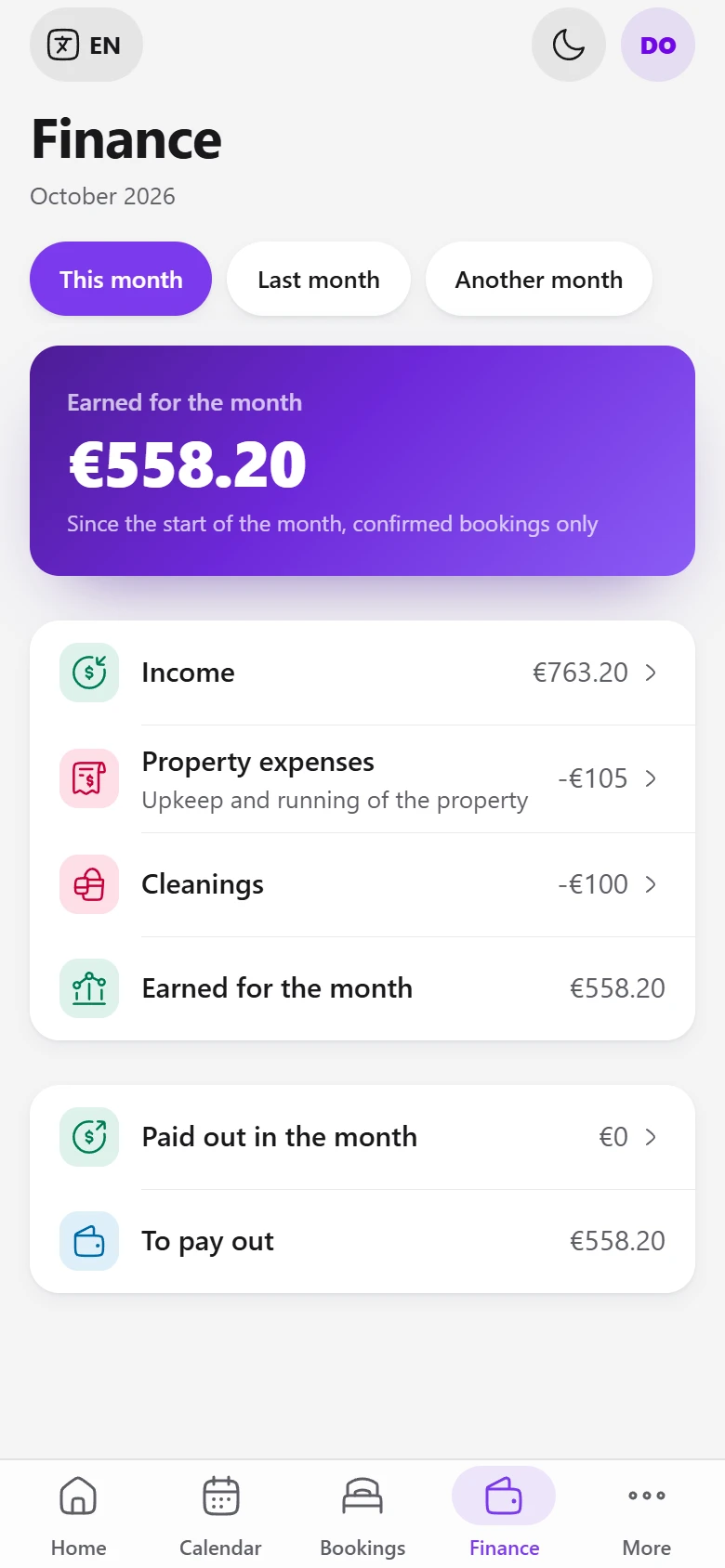
PLUBOX Owner shows each month's income, property expenses and cleaning costs. Owners can see recorded payments and the balance still due to them.
Open an income, cost or payment line to see how the amount was calculated. You can also return to an earlier month and check its current figures.
October 2026: EUR 763.20 in income less EUR 105 in property expenses and EUR 100 in cleaning leaves EUR 558.20. The management report rounds amounts to whole euros.
PLUBOX Owner on Google PlayDemo data · actual PLUBOX interface
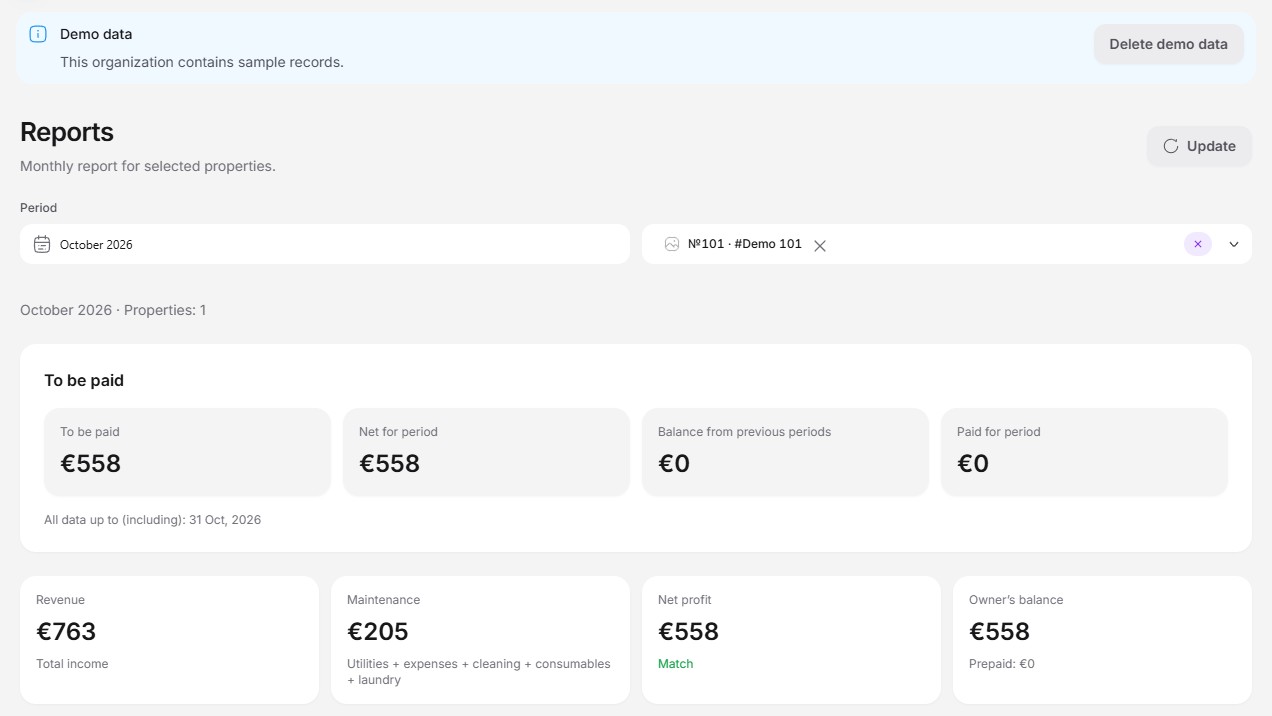
Demo 101, October 2026: EUR 763 in the owner's share of booking income, EUR 105 in expenses and EUR 100 in cleaning costs leave EUR 558 for the month. The report displays whole euros.
October 2026 · demo data
The property has no balance carried forward and no recorded owner payout in this month. The amount remaining is therefore the full monthly result.
| Balance calculation | Amount |
|---|---|
| Balance from previous months | EUR 0 |
| Add the result for October | EUR 558 |
| Subtract recorded owner payouts | EUR 0 |
| Remaining to pay | EUR 558 |
These are the rounded amounts shown in the report above. The linked guide includes a second example with a previous balance and a payment, plus a template for your own monthly explanation.
Open an income, cost or payment line in Finance to see its breakdown. The owner can check the entries behind the amount, with the same month and properties selected.
Select Another month in PLUBOX Owner and choose the period. You can review its bookings, costs and recorded payments using the records currently stored in PLUBOX.
Correct the source entry and refresh the report for that month. PLUBOX calculates the figures from the saved records and management terms, so there is no spreadsheet formula to repair.
The owner report is limited to the properties linked to that owner. Set up each owner's property access before inviting them to use the app.
No. Mixed or unknown currencies can prevent a combined total. Keep the currency on each source record correct and report separate currencies separately.
The owner can open Finance in their app. Send your explanation through the communication channel you already use with them. The linked guide includes a reusable report checklist and handover message.
Ask for a walkthrough of the monthly report, its source entries and owner access. Bring an example of a question you regularly need to answer.